








Overview
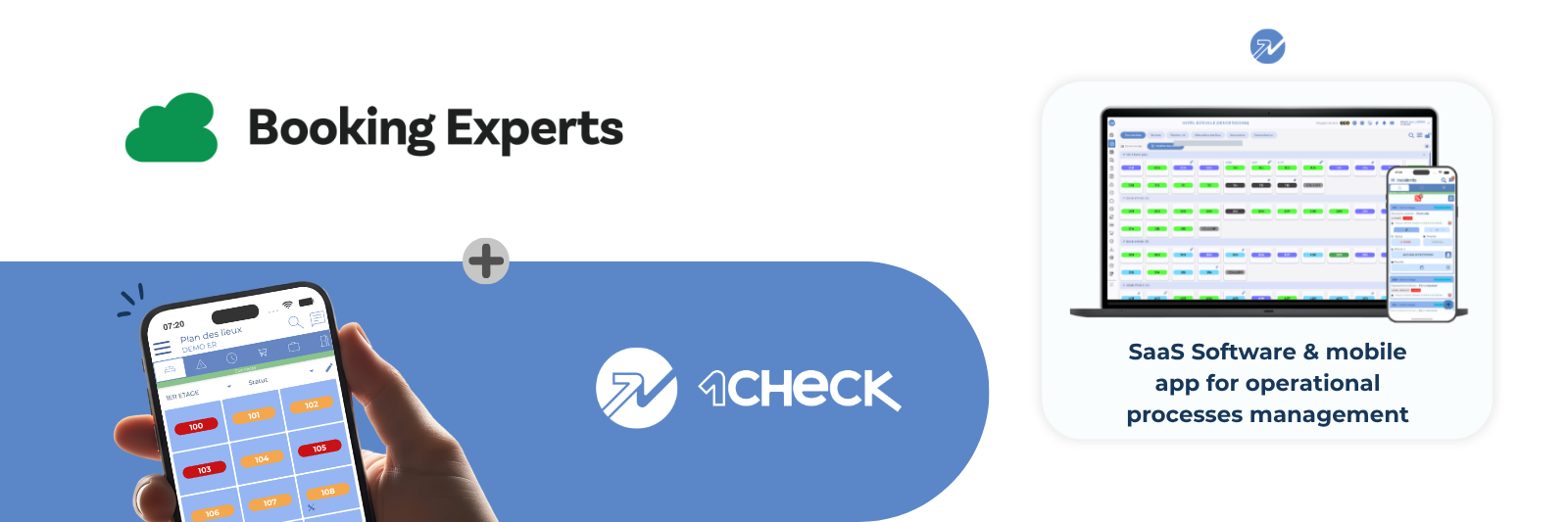
1Check combines SaaS software with a mobile app to simplify day-to-day maintenance, winterisation, sanitary record-keeping and cleaning for campsites and holiday parks.
Built by hospitality professionals, including specialists in outdoor hospitality, 1Check has served the hospitality technology market since 2015.
More than 700 establishments use the solution, including independent properties and those affiliated with groups.
Booking Experts integration
-
Reservations: New reservations, changes, moves to another unit, check-ins, check-outs and cancellations recorded in Booking Experts reach 1Check within seconds.
-
Unavailability: Maintenance periods and owner periods block the unit in 1Check. The block is removed when the period ends or is deleted.
-
Cleaning: Once cleaning synchronisation has been enabled with your 1Check contact, cleaning tasks created in Booking Experts appear in your cleaning list. Marking a room as clean in 1Check closes the corresponding task in Booking Experts.
Sectors served
-
Campsites and holiday residences
-
Hotels and resorts
-
Facilities management
Day-to-day operations
Plan and assign cleaning. The head housekeeper schedules cleaning in the web-based software and tracks accommodation status on the interactive map. Cleaning staff receive schedules in the mobile app, follow checklists and report incidents with photos or comments.
Resolve incidents and check quality. Technicians receive maintenance requests on their mobile phones and update service reports when the work is complete. Housekeeping staff then carry out a quality check and mark the accommodation as available.
Keep reception and management informed. Reception teams track progress in real time, communicate with the relevant departments and consult the lost property register. Management uses the web-based software to monitor operations and key performance indicators.
1Check brings housekeeping, maintenance, reception and management together in one tool.
Core features
-
Incident management: Receive reported maintenance incidents on mobile devices in real time.
-
Preventive maintenance: Plan and manage preventive maintenance tasks on the go using checklists.
-
Sanitary log: Manage regulatory records and receive alerts when non-compliance is detected.
-
Winterisation checklist: Guide teams through the actions needed to prepare units for winter.
-
Site plan: Navigate an interactive, intuitive map of the property.
-
Accommodation checks: Allow housekeepers or inspectors to report cleanliness issues and mark units as available in real time.
-
Lost property: Record and manage found items on the go, with an interface to Peek’in.
-
Offline mode: the mobile application can be used without an Internet connection, with data automatically synchronised once the connection is restored.
Additional features
-
Instant messaging: Communicate with all teams in real time.
-
Customer complaint management: Record and track complaints, including the cost associated with each one.
-
Daily log: Record security rounds and daily log entries directly in the app.
-
Inventory: Get a clear, quantified view of unit condition to inform budgets and decisions.
-
Current stays: View reservation information directly in the back office through the property management system (PMS) interface.
Benefits
1Check helps your teams:
-
Improve the traceability of actions
-
Optimise productivity
-
Improve communication between departments
-
Reduce travel around the site by 30%
-
Replace most internal calls
These productivity gains help improve customer satisfaction.
Getting started
First, install the 1Check app from the Booking Experts App Store and grant it access. Then use the 1Check installation page to link your existing site or, if you are new to 1Check, leave your details so our team can contact you.
Already a 1Check customer?
Link your site in a few steps.
Before you start
-
A 1Check site for your establishment. New to 1Check? See below.
-
Access to the Booking Experts administration you want to connect.
-
Your customer reference, login and password to link your site (your 1Check administrator has them).
Steps
-
In Booking Experts, open the App Store, find 1Check and click Install. Accept the permissions.
-
On the 1Check installation page, sign in with your customer reference, login and password, then click Link my site. Enter the verification code if two-step verification is on, and choose the administration if you have several.
-
When you see Your site is linked to Booking Experts, click Back to Booking Experts. Reservations now reach 1Check.
-
To use the Cleaning flow, ask your 1Check contact to turn on cleaning synchronisation and to choose the Booking Experts to-do list to follow.
Something went wrong? See the support guide or write to support@1check.com
New to 1Check?
Book a short call with the sales team to discuss your needs:
Sales: +33 (0)1 78 91 30 00, matthieu.lafon@1check.com
Support and documentation
Support: support@1check.com, +33 (0)1 78 91 30 05
Documentation: View the documentation
Frequently asked questions
SUBSCRIPTION AND ROLLOUT
What does a 1Check subscription include?
Your subscription includes the software licence, data hosting and backup, maintenance, technical support, customer service, updates, and unlimited users. There are no additional costs, including for interfaces with third-party software such as a property management system (PMS).
How long does implementation take?
For new customers, implementation at your property takes between 2 and 4 weeks.
How does the training work?
Training is available remotely or in person. For on-site training, a subject matter expert visits your property and trains teams in user groups to help them use the tool effectively. As 1Check is a certified training provider, funding may be available through your OPCO (Skills Development Fund).
CONNECTIVITY AND MULTI-SITE OPERATIONS
Can I use 1Check with poor Wi-Fi?
Yes. The 1Check mobile app is a native application that works offline. Data entered offline is stored on the device and transmitted when it reconnects to Wi-Fi. You can also use the app with a SIM card and a 4G connection.
Do you offer multi-site management?
Yes. 1Check supports multi-site management in the back office and on mobile devices. A technician working across several sites can receive and manage maintenance incidents for each site on one mobile device. For reporting, a dedicated API makes your data available to your business intelligence (BI) tools.
BOOKING EXPERTS CONNECTION
Do I need an API key to connect Booking Experts?
No. You grant access in Booking Experts when you install the app.
How quickly do changes arrive in 1Check?
Booking Experts notifies 1Check as changes happen, usually within seconds. As a safety net, 1Check also performs a nightly check of reservations up to six months ahead.
What happens if I reinstall the app?
Your existing link to your 1Check site is retained.