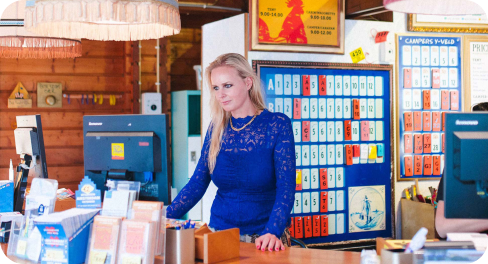












Your front desk works in Booking Experts. Your housekeeping and maintenance teams work out on the park. Verbleif brings the two together: everyone sees what needs to happen, at which unit and for which arrival. No phone calls, no retyping, no loose lists.
What the integration does
Reservations, units and todos from Booking Experts flow into Verbleif automatically. A todo becomes a task at the right unit, with the arrival and departure attached. Your team completes the task in the mobile app, even without coverage.
The result goes back to Booking Experts: the task status, the hours worked, the materials used and the photos appear on the todo. The front desk never has to leave Booking Experts to see whether an accommodation is ready.
What Verbleif adds to Booking Experts
Booking Experts knows who is coming and when. Verbleif takes care of everything that has to happen on the park beforehand, and records that it was done.
- Inventory counts: record what belongs in each accommodation. At changeover your team counts the inventory in the app. If everything is in place, it is one tap. If something is missing, the difference shows up on the task right away.
- Playground inspections: go through every piece of equipment with a fixed checklist. You record a defect with a photo and it becomes a follow-up task for the maintenance team. You always have a log ready for the inspection.
- Pool inspections: measure chlorine, pH and temperature several times a day. A value outside the norm stands out immediately and you decide whether the pool should close.
- Legionella inspections: schedule flushing and temperature measurements per tap point, including for accommodations that stand empty for longer periods. All measurements are kept, per unit and per date.
- Stock: keep track of what is in each storeroom. What your team uses on a task is deducted from stock automatically, and you see in time what to reorder.
- Refresh cleaning: does a guest stay longer, or has an accommodation been empty for a while before the next arrival? Verbleif automatically schedules a refresh clean at the right moment.
- Advanced task automation: decide for yourself what happens with a new reservation, a change, an added extra or a failed inspection. Start with a ready-made template or build your own rules, with conditions and exceptions per unit.
- Changeover inspection and deposit check: inspect the accommodation after departure with a fixed checklist. You record damage or a missing item with a photo, so the front desk knows whether the deposit can be refunded.
- Automatic translation: a cleaner reads and writes in their own language, the front desk reads it in theirs. The app is available in 17 languages.
- Roles and permissions: decide per team what someone can see and do. An external cleaning company only sees its own work.
Benefits and features
- One list of work: tasks for housekeeping, maintenance and grounds, per unit and per day.
- Always the current occupancy: arrivals, departures, changeovers and blocks from Booking Experts appear at every unit.
- Automatic tasks from reservations: final cleaning, mid-stay cleaning, bed linen and added extras are scheduled automatically.
- Todos in both directions: create a task in Booking Experts or in Verbleif, and it appears in both places.
- Hours, materials and photos sent back: what your team registers appears on the todo in Booking Experts.
- An app built for the park: big buttons, taking photos, following walking routes and carrying on without internet.
- Reports from guests and colleagues: one click turns a report into a task for the right team.
- Blocks check-in: a unit is only released once the work is done.
- Deviations with follow-up: a failed item in an inspection becomes a deviation. You resolve it, accept it or turn it into a follow-up task. Nothing gets lost in a notebook.
- Lost property: record what was found, where and with a photo, so the front desk can help a guest right away.
- Log per unit: who did what and when, with photos. Handy for a complaint, a damage claim or an inspection.
- Open API and our own App Store: connect your guest app, locks or reports to the same work.
Use cases
- Holiday park: on changeover day, housekeeping sees which bungalows are becoming vacant, which guests are arriving and which extras have been added.
- Campsite: the front desk creates a task for the maintenance team from a reservation. They complete it in the app, with a photo and hours.
- Park group: each administration in Booking Experts belongs to its own location in Verbleif, with the same agreements at every park.
Working with Booking Experts
Booking Experts manages the reservations, units and finances. Verbleif handles the execution on the park. You change a reservation in Booking Experts; the work that follows from it adjusts in Verbleif.
You choose per installation what is sent back. If you only want to read, you turn off writing tasks back.
Data Direction When Administrations and units (accommodations and facilities) Booking Experts to Verbleif At the first synchronization and at every change Reservations with arrival, departure and guests Booking Experts to Verbleif Immediately Blocks (maintenance, owner, external) Booking Experts to Verbleif Immediately Todos with photos, hours and materials Booking Experts to Verbleif Immediately Employees, costs, extras and ledger accounts Booking Experts to Verbleif At every synchronization Tasks as todos, with status, hours, materials and photos Verbleif to Booking Experts Immediately, as soon as someone updates the task Subtasks as todos and the todo memo as a comment Verbleif to Booking Experts Configurable per installationRequirements
- A Verbleif subscription of Premium or higher. The integration is not included in Starter.
- Access to the right administration in Booking Experts and the permission to install apps.
- In Verbleif, a location for each administration you want to connect.
Getting started
- Install the Booking Experts app in the Verbleif App Store and activate Verbleif in the Booking Experts App Store.
- Connect each administration from Booking Experts to the location in Verbleif it belongs to.
- Choose the task types for an accommodation, a facility and for tasks without a unit.
- Choose what is sent back to Booking Experts and start the first synchronization.
- Before going live, test a reservation, a change, a cancellation and a todo in both directions.
Frequently asked questions
Does my cleaning team have to work in Booking Experts?
No. Your team works in the Verbleif app. The front desk stays in Booking Experts and sees the status of the work there.
How quickly does a new reservation appear in Verbleif?
Immediately. Booking Experts notifies Verbleif of a new or changed reservation the moment it happens.
Can I choose what is sent back to Booking Experts?
Yes, per installation. You decide whether tasks, subtasks and comments are sent back, or whether Verbleif only reads.
Does the integration work with multiple parks?
Yes. One Booking Experts account can serve multiple administrations. You connect each administration to its own location in Verbleif.
Does the app work without internet?
Yes. Your team keeps working without coverage. Changes are sent as soon as there is a connection again.
Good to know
- You change reservations in Booking Experts. Verbleif reads reservations and does not modify them.
- Not every field goes in both directions. The table above shows what goes where.
- Access revoked: restore the connection via the Booking Experts App Store before you synchronize again.
- Multiple locations: each location in Verbleif belongs to one administration in Booking Experts.
About Verbleif and support
Verbleif makes facility software for holiday parks, campsites, resorts and park groups. From one environment you manage tasks, reports and planning, with integrations to your reservation system and guest apps. Your data is stored in the European Union.
- Category: Facility management
- Built by: Verbleif
- E-mail: sales@verbleif.com
- Support: support@verbleif.com, 085 060 89 41
- Website: verbleif.com
- Help: docs.verbleif.com
Pricing
Custom quote, based on the number of users and units. The Booking Experts integration is included in Premium, Ultimate and Enterprise. You can try Verbleif for 30 days in a demo environment.
Already working with Verbleif? Open the web app.